How to Sort Hundreds of Undated Photos for a Memorial Slideshow
Somewhere there is a folder with three hundred photographs in it, pulled together in two days from a shoebox, a phone, a scanner, and three relatives. The service is on Saturday. The obvious first move is to sort that folder by date, and it will not work. Almost every file in there carries the date it was copied, not the day it was taken. A print you photographed on the kitchen table last Tuesday is filed under last Tuesday, sitting right beside a scan you made this morning and a snapshot from sixty years ago.
The job is smaller than it looks. You do not need dates, and you do not need to be sure. What you need is an order that feels like a life, and that turns out to be a handful of broad decisions rather than three hundred small ones. Everything below can be done with nothing but your own eyes and the photographs in front of you.
Why the dates on your photos are wrong
Every digital file quietly records when the file was made, and a computer treats that as the date of the photograph. For anything copied off paper, it almost never is. A photograph of a print is dated the day you photographed the print. A scan is dated the day it went through the scanner. A screenshot is dated the second you tapped the screen and usually carries nothing else at all. A snapshot a cousin texts you is frequently stamped with the moment it landed on your phone.
Older digital files lie more than you would expect too. Camera clocks reset when the battery ran flat, so whole vacations sit filed under 1970 or the first of January in some year nobody was there.
This is why "sort by date" is worse than doing nothing on a folder like that. It does not fail loudly. It hands you something that looks sorted, in confident numeric order, with a wedding in the middle of the retirement years and a baby near the end. Then you build a slideshow on top of it and only notice in the room.
There is one happy exception, and you should take it. Files born digital, taken on a phone and copied across as they are, do carry a true capture date, and phone clocks set themselves. That is usually the most recent stretch of the life, and often the largest part of the folder. Sort that group by date, trust what you get, and save your eyes for everything older.
Sort into life stages before you sort into years
Here is the whole method, and it is the one thing that makes this finishable: sort into life stages before you sort into years.
Make five or six buckets. Folders on the laptop, or piles on a table, whichever you are working with:
- Earliest years, the baby and small-child photographs
- Growing up, school age through the late teens
- Starting out, the first jobs, the wedding, the first home
- The middle years, raising a family, working, the long stretch in the middle
- Grandchildren, if that was part of the life
- Later years, the last decade or two
Now go through the folder fast and drop each photograph into a bucket. Do not deliberate. Deciding which bucket a photograph belongs in takes about a second, because you are only asking roughly how old they look. Deciding which year it belongs to can take a minute, and for most photographs it cannot honestly be done at all.
Keep a seventh pile for the genuinely unclear ones and come back to it at the end, if you come back to it. Do not sort inside the buckets on this pass. Most families never need to: the buckets are the story.
The reason this works is that nobody watching will notice a photograph sitting two years early inside the right decade. They will notice a baby after a wedding. Order at the scale of a life is the part that carries feeling, and it is also the easy part. If you want to mark the stages on screen with a short title slide between them, there are more ways to shape the whole thing in our memorial slideshow ideas.
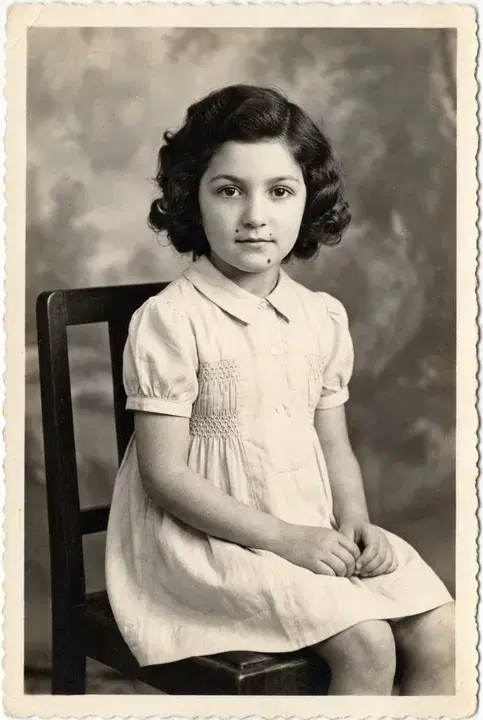
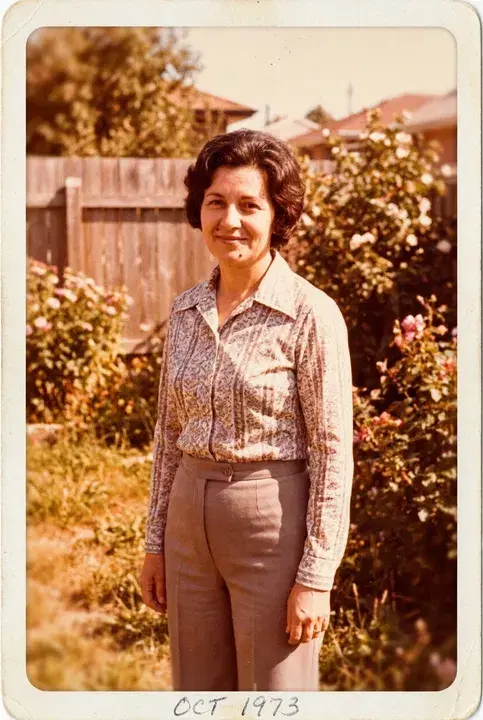
Here is what that looks like in practice. The nine photographs below are an example set put together to illustrate this page. They are not a real family and not anyone's actual photographs. Press the button and watch a jumbled folder turn into the order of a life.
Nine photos, no usable dates
This is the state most folders arrive in. Press the button to see the same nine photos in the order of a life.

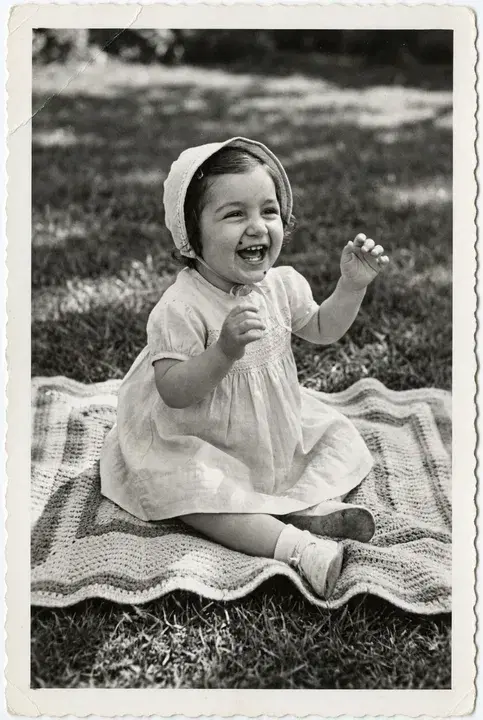

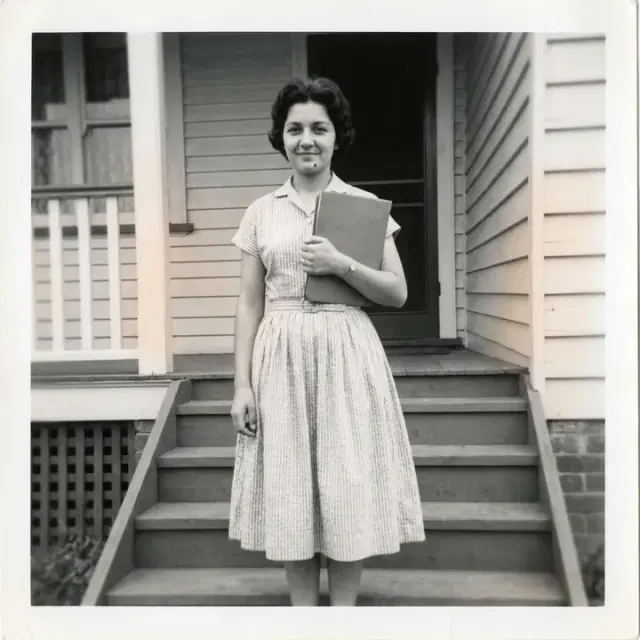

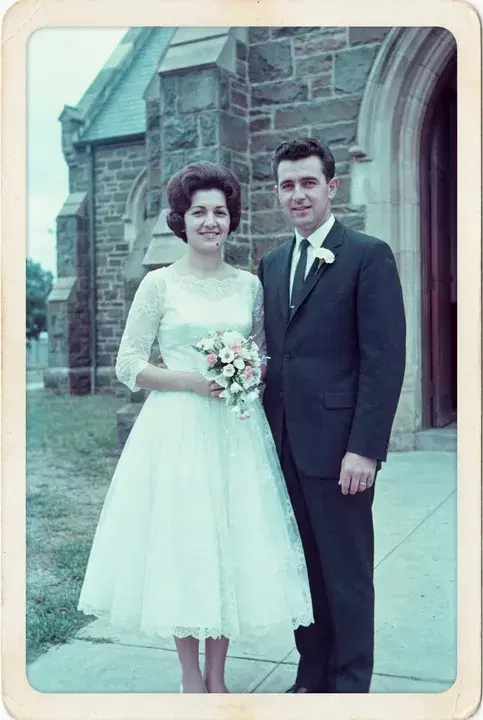
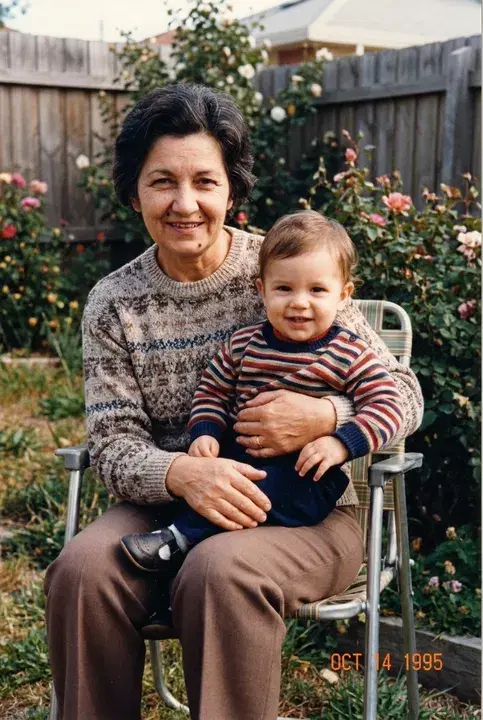
Create a memorial slideshow
Add your favorite photos and watch a tribute come together live, set to music. Free to preview.
Reading age from the face
Children are easy, and this is worth knowing before you start, because it means the beginning of the folder will move quickly. A face changes so much between two and twelve that you can put a childhood in order almost without thinking. The same is true at the other end: the later years are usually readable within a few years.
The hard range is roughly thirty to fifty-five. An adult can look genuinely identical in two photographs taken twelve years apart, especially in the same haircut. This is exactly where you should stop trying for precision. If you find yourself holding two photographs side by side looking for a difference, you have already left the useful part of this task.
What works far better in that range is anchoring. Start with the photographs you can date because you know the event, not because you can read the face:
- A wedding
- A graduation
- The house they moved into, and the year they moved
- A christening or a first birthday
- A car, a uniform, a shop sign behind them
Place those anchors into the buckets first, then fit everything else around them. And use other people in the frame, because they are better clocks than the person you are sorting. If there is a child in the photograph and you know roughly how old that child looks, you have dated the photograph without looking at the adult at all.
Reading the decade from the print
The other half of this is that the print dates the photograph as reliably as the face does, and often more so. Physical photographs changed a great deal over the decades, and once you can see the cues you cannot unsee them:
- Black and white is the oldest layer, with one important exception noted below.
- Scalloped or deckled edges, that wavy cut border, point at the 1940s and 50s.
- A small square print with a white border is old, but be careful how old. The box cameras that made them ran for decades, and the square shape carried straight on into the cartridge cameras of the 1960s and 70s. Treat a bordered square as early rather than as a particular decade.
- A square image with a much deeper margin along the bottom is a Polaroid, and those begin in the early 1970s. This is the one square-bordered format anyone can name on sight, and it is nowhere near the box-camera years, so check the bottom edge before you file it with the oldest photographs.
- Early color has drifted. The whole print has shifted and faded, usually toward cyan or magenta, and the skin tones have gone with it.
- A warm orange cast, sometimes with rounded corners on the print, is typical of the 1970s.
- Hard flash straight from the camera, subject lit bright and the background falling away to black, is the 1980s.
- An orange date stamp printed into the corner of the image is late 80s through the 90s.
- Flat, slightly noisy, over-sharpened, and small is early digital.
- Crisp, borderless, and well exposed indoors is a phone.
The exception on black and white: it came back later as a deliberate choice, in studio portraits, school portraits, and wedding photography especially. A clean, evenly lit black and white with modern clothes and modern glasses is a style decision, not an old print. Trust the clothes and the faces over the absence of color.
One more caution in the same spirit. These cues date the print, and a print is not always the same age as the moment. Somebody had reprints made for relatives, and a 1975 print from a 1952 negative is a perfectly ordinary object to find in a shoebox. If the paper looks newer than the people, believe the people.
And before you copy anything: turn the prints over. Handwriting on the back, or in the white border on the front, is frequently the only true date you will get out of the entire box. A name, a place, a year, in someone's hand. You do not have to do this to every box in the house, and you should not try. Do it for the prints already in front of you, and photograph the back as well when there is more than a date on it, so the writing does not leave with the prints. Our guide to photographing old photos with your phone covers getting a clean copy without a scanner.
How many photos you actually need
Now the part that saves you the most time. Sorting three hundred photographs is only necessary if three hundred photographs are going into the slideshow, and they should not be.
Do the arithmetic before you do the sorting. Three hundred photographs, each held long enough to actually see a face, runs about twenty five minutes. That is more than a service can give it and more than anyone watches closely, which means most of that sorting would be work you throw away.
So make the first pass through the folder a choosing pass, not a sorting pass. Pull out the 40 to 80 you genuinely love, the faces and the ordinary moments that stop you, and then sort only those. That is not a compromise. Fewer, stronger photographs make a better slideshow, and they cut the sorting work by three quarters. A choosing pass tends to surface a question the sorting never does, about who appears and how often rather than in what order, and our guide to who to include in a memorial slideshow is where that one is worked through.
A slideshow left running quietly during a visitation is the exception, and there you can be generous. Even so it asks less of you, not more, because people arrive in the middle of it and nobody follows it end to end. Our guide on how long a funeral slideshow should be goes deeper into pacing, and the calculator below will work out your own numbers.
How long will your slideshow be?
Enter how many photos you have and how long each one should stay on screen. Nothing is saved, and you can change it as often as you like.
Most services use 40 to 80 photos.
Aiming for a 6 minute slideshow? At 5 seconds per photo you would need about 72 photos.
When to stop
Chronological to the decade is enough. That is the whole standard, and you are allowed to hold yourself to it and no higher.
Nobody in that room is auditing the order. They are looking at a face they loved, and the moment a photograph appears they are somewhere else entirely, in a kitchen or a car or a summer twenty years ago. That is what the slideshow is for. It is not a record, and nobody will ever lean over at a service to say that a photograph sat two years out of place.
A good stopping rule: when moving photographs around no longer changes how it feels to watch, you are finished. If one photograph will not settle, put it beside the one it seems to belong with and move on. If you reach the end of the week with half the middle years still in a loose pile, that is a finished slideshow, not an unfinished one.
You have a great deal to carry this week. Perfect order here would cost you an entire evening, and it would buy nothing that anyone in the room could see.
Frequently Asked Questions
How do I put old photos in chronological order without dates?
Sort into life stages before you sort into years. Five or six broad buckets, such as earliest years, growing up, starting out, the middle years, grandchildren, and later years, will hold everything you have, and deciding which bucket a photograph belongs in takes about a second. Place the ones you can date for certain first, such as a wedding or a graduation, then fit the rest around them. Ordering within each bucket is optional, and for most slideshows it is not worth the evening it costs.
Why doesn't sorting by date work for scanned photos?
A digital file records when the file was made, not when the moment happened. A scan is dated the day you scanned it, a photograph of a print is dated the day you photographed the print, and a screenshot or a snapshot texted from a relative is dated the moment it arrived on your phone. Sorting a folder like that by date is worse than leaving it alone, because it hands you something that looks sorted and is not.
How can I tell what decade a photo is from?
The print itself carries the decade. Scalloped or deckled edges point at the 1940s and 50s, early color has faded and shifted toward cyan or magenta, a warm orange cast is typical of the 1970s, and hard on-camera flash against a dark background says the 1980s. An orange date stamp printed into the corner is late 80s through the 90s, flat and slightly noisy shots are early digital, and crisp and borderless is a phone. Be careful with square white-bordered prints, which run from the box-camera years right through the cartridge cameras of the 1960s and 70s, and check the bottom edge, because a deep bottom margin means a Polaroid and those start in the early 1970s. Turn prints over as well, since handwriting on the back is frequently the only true date you will get.
How many photos should go in a memorial slideshow?
Plan on somewhere between 40 and 80 for a slideshow the room watches together. Held five or six seconds apiece, forty photographs runs under four minutes and eighty runs about eight, and a seated congregation follows either without effort. One left playing during a visitation can be more generous, since people wander past it rather than sitting through it. The count matters for your sorting too: choose the set first and you only ever have to put those in order.
Does the order of photos in a memorial slideshow matter?
A loose chronological shape matters, because watching a life move from the earliest years to the most recent gives the room something to follow. Precision does not. Nobody at a service is checking whether a photograph sits two years early, and a photograph in the right decade is in the right place. Get the arc right and stop there.
Turn your photos into a memorial slideshow
When the words are ready, the photos tell the rest. Add them and watch a tribute video come together live in your browser, set to music and ready to play at the service. Free to preview. You only pay when you love it.